
What Is Cloud Computing? What Are The Cloud Computing Types?
Last updated:
Cloud computing is no longer “the future.” In 2026, it is already the backbone of modern technology. Businesses use cloud platforms to store data, run apps, build software, and protect systems. Students use it for online learning. Even your phone depends on cloud services every day.
Simply put, cloud computing makes technology faster, easier, and more flexible.
In this detailed 2026 guide, you will learn:
✅ What cloud computing is
✅ How cloud computing works
✅ Cloud service models (SaaS, PaaS, IaaS)
✅ Deployment models (Public, Private, Hybrid, Community)
✅ Real-life examples and benefits
✅ Common risks and security tips
Let’s begin.
What Is Cloud Computing?
Cloud computing means delivering computing services over the internet.
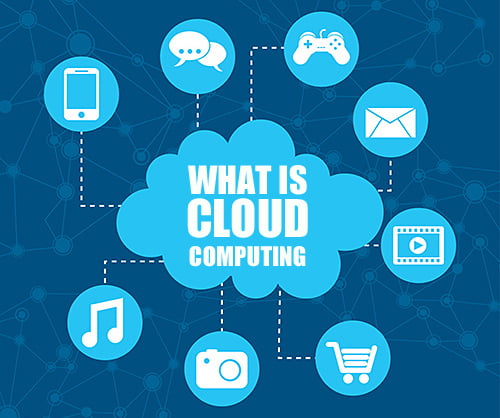
Instead of saving everything on your laptop or installing software on your computer, you use online servers to:
store data
run applications
build and test software
access computing power when needed
NIST (National Institute of Standards and Technology) defines cloud computing as on-demand network access to shared computing resources that can be quickly provided with minimal effort.
That definition sounds technical. So let’s simplify it:
✅ Cloud computing allows you to “rent” technology online instead of owning it.
A Simple Example of Cloud Computing
If you use services like:
Google Drive
Gmail
Netflix
Spotify
YouTube
Zoom
Microsoft OneDrive
…then you already use cloud computing.
These platforms run on powerful cloud servers. You just access them through the internet.
How Cloud Computing Works
Cloud computing runs on large remote data centers.
These data centers contain:
servers (powerful computers)
storage systems
networking devices
security tools
backup systems
When you open a cloud app, the real work happens on those servers—not your device.
Your laptop or mobile only displays the results.
That’s why cloud apps work even on low-end devices.

Why Cloud Computing Is Important in 2026
In 2026, companies prefer cloud systems because they solve real problems.
Cloud computing helps because it offers:
✅ faster deployment
✅ lower cost than buying hardware
✅ global access from anywhere
✅ easy scalability
✅ automatic updates
✅ stronger disaster recovery
Major cloud providers like AWS, Microsoft Azure, and Google Cloud continue driving business operations worldwide.
Cloud Computing Types (Two Main Categories)
When people say cloud computing types, they often mean two different things:
Cloud Service Models (SaaS, PaaS, IaaS)
Cloud Deployment Models (Public, Private, Hybrid, Community)
Let’s understand both in detail.
Cloud Computing Types: Cloud Service Models (SaaS, PaaS, IaaS)
Cloud services usually fall into 3 major service models:
✅ SaaS (Software as a Service)
✅ PaaS (Platform as a Service)
✅ IaaS (Infrastructure as a Service)
These are also called the cloud computing stack because each layer builds on the other.
1) SaaS: Software as a Service
SaaS delivers ready-to-use software over the internet.
You don’t install the app manually. Instead, you log in and use it.
The cloud provider handles:
hosting
security
updates
maintenance
performance
You only focus on using the software.
SaaS Examples (2026)
✅ Google Workspace (Docs, Sheets, Gmail)
✅ Microsoft 365
✅ Zoom
✅ Slack
✅ Canva
✅ Dropbox
SaaS Benefits
easy to use
no setup required
works on any device
automatic updates
SaaS Limitations
depends on internet speed
limited control over software customization
SaaS is the most common cloud service because individuals and companies both use it daily.
2) PaaS: Platform as a Service
PaaS gives developers an online environment to build, test, and deploy applications.
Here, the provider offers the platform tools such as:
databases
development environments
server management
operating system support
deployment frameworks
So developers can code without worrying about infrastructure setup.
PaaS Examples (2026)
✅ Google App Engine
✅ Heroku
✅ Microsoft Azure App Service
✅ AWS Elastic Beanstalk
PaaS Benefits
faster app development
easy deployment
reduced infrastructure workload
better collaboration for teams
PaaS Limitations
platform lock-in risk
restricted control compared to full infrastructure access
PaaS works best for companies creating web apps, mobile apps, and SaaS products.
3) IaaS: Infrastructure as a Service
IaaS provides the core building blocks of computing.
With IaaS, you rent:
virtual machines (VMs)
networks
storage
servers
operating systems
You control your system setup. Meanwhile, the provider supplies the hardware.
IaaS Examples (2026)
✅ Amazon EC2 (AWS)
✅ Microsoft Azure Virtual Machines
✅ Google Compute Engine
IaaS Benefits
full flexibility and control
easy to scale up or down
cheaper than buying data center hardware
great for enterprise IT setups
IaaS Limitations
needs technical expertise
you manage security configuration and operating system updates
If you want maximum control in cloud computing, IaaS is the best choice.
Quick Comparison: SaaS vs PaaS vs IaaS
Here’s the easiest way to remember:
✅ SaaS = You use software
✅ PaaS = You build software
✅ IaaS = You rent infrastructure
Cloud Computing Types: Cloud Deployment Models (Public, Private, Hybrid, Community)
Now let’s discuss another meaning of cloud computing types.
Deployment models explain who can access the cloud and how it is managed.
The four main deployment models are:
Public Cloud
Private Cloud
Hybrid Cloud
Community Cloud
These models are commonly explained in cloud computing guides and standards.
1) Public Cloud Computing
A public cloud is available to everyone.
A cloud provider owns the data centers and delivers services over the internet.
Examples include:
✅ AWS
✅ Microsoft Azure
✅ Google Cloud
Public cloud services usually follow a pay-as-you-go model.
Public Cloud Benefits
affordable for startups
easy to scale
no hardware investment
quick setup
Public Cloud Drawbacks
less control compared to private cloud
security depends on good configuration
Public cloud works best for fast-growing businesses and online services.
2) Private Cloud Computing
A private cloud is designed for one organization only.
That organization controls the cloud environment. They use it for higher security and stricter compliance.
Many banks and large companies prefer private cloud setups.
Private Cloud Benefits
better control
stronger customization
suits strict security policies
Private Cloud Drawbacks
higher cost
requires dedicated IT management
Your example of “Google Drive protected by your login” explains access control, but technically Google Drive is still hosted on a public cloud platform. The private part is your secured account access.
3) Hybrid Cloud Computing
A hybrid cloud combines private and public cloud.
Companies use this model when they want:
private cloud for sensitive data
public cloud for regular workloads
For example:
A company stores customer financial data on private cloud but runs its website traffic on public cloud.
Hybrid Cloud Benefits
high flexibility
cost-effective
balances security and performance
Hybrid Cloud Drawbacks
complex setup
needs strong management and integration
Hybrid cloud is one of the most common enterprise strategies today.
4) Community Cloud Computing
A community cloud is shared by multiple organizations with similar needs.
For example:
government departments
universities and research institutes
healthcare organizations
They share cloud infrastructure while following common rules and security standards.
Community Cloud Benefits
cost-sharing across organizations
stronger compliance
shared tools and resources
Community Cloud Drawbacks
limited flexibility
access depends on membership rules

Advantages of Cloud Computing
Cloud computing has become popular because of strong advantages.
✅ Cost savings: pay only for what you use
✅ Scalability: upgrade resources anytime
✅ Remote access: work from anywhere
✅ Automatic updates: no manual installation
✅ Backup & recovery: better disaster protection
✅ Better teamwork: share files and apps instantly
This is why cloud adoption continues to grow across industries.
Disadvantages of Cloud Computing
Cloud computing also has challenges.
Here are some important ones:
❌ Internet dependency
❌ Data privacy concerns
❌ Misconfiguration risks
❌ Vendor lock-in
❌ Downtime (rare, but possible)
The biggest risk is poor security configuration—not the cloud itself.
So companies must use strong passwords, access control, encryption, and monitoring.
Cloud Computing Examples in Daily Life
You might not realize it, but you use cloud every day.
Examples:
✅ sending email (Gmail)
✅ saving photos (Google Photos)
✅ watching movies (Netflix)
✅ storing files online (Drive/Dropbox)
✅ video calls (Zoom/Meet)
✅ online learning (learning platforms)
Cloud computing makes all these services possible.
Conclusion:
Cloud computing powers most of today’s digital world. In 2026, it supports businesses, education, and personal technology every day.
So, what are the main cloud computing types?
✅ Cloud Service Models:
SaaS
PaaS
IaaS
✅ Cloud Deployment Models:
Public Cloud
Private Cloud
Hybrid Cloud
Community Cloud
Once you understand these types, you can choose the right cloud solution for learning, business, or career growth.
FAQs:
Q. What is cloud computing in simple words?
A. Cloud computing means using online servers to store data and run software through the internet instead of your computer.
Q. What are the 3 types of cloud computing services?
A. The 3 main service types are SaaS, PaaS, and IaaS.
Q. What are the 4 cloud deployment models?
A. Public cloud, private cloud, hybrid cloud, and community cloud are the 4 main deployment types.
Q. Which cloud model is best for beginners?
A. SaaS is best for beginners because you can use it directly without setup.

Moumita Sen is a recent graduate who studied finance and medical subjects. She writes on personal finance, hair care and lifestyle topics. She is not a medical professional; health-related articles on FastNewsFeed are based on published medical sources.